Per-user editor preferences for World Assembly. Unlike the shared Project Settings, these are machine-local and stored in NexusUserSettings.ini, so each developer keeps their own values and they do not leak into source control.
From the Edit > Editor Preferences window, find the World Assembly section.
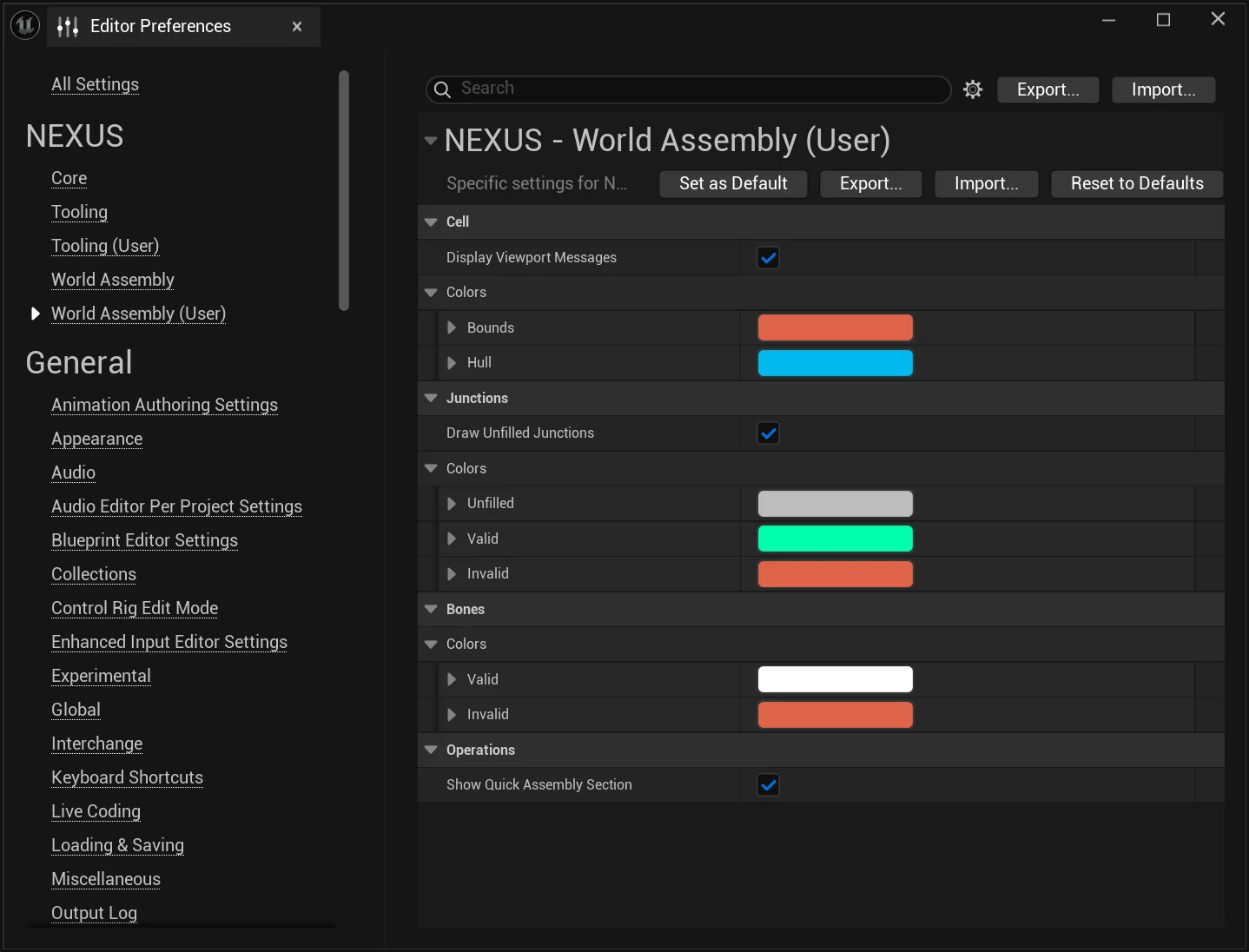
Configuration Options
The Colors groups drive the gizmos and debug markers drawn in the viewport while editing and during a Quick Assembly operation — for example colouring junctions differently depending on whether they ended up valid, invalid, or unfilled.
Cell
| Setting | Type | Description | Default |
|---|
Display Viewport Messages | bool | Show alerts and HUD messages in the viewport while editing cells. | true |
Colors
| Setting | Type | Description | Default |
|---|
Bounds | FLinearColor | Color used to draw a cell's bounds. | Red (0.73, 0.127, 0.067) |
Hull | FLinearColor | Color used to draw a cell's hull. | Blue (0, 0.491, 0.863) |
Operations
| Setting | Type | Description | Default |
|---|
Show Quick Assembly Section | bool | Show the Quick Assembly section — an Organ dropdown plus a start/cancel button — on the World Assembly toolbar. | true |
Junctions
| Setting | Type | Description | Default |
|---|
Draw Unfilled Junctions | bool | Draw debug markers for unfilled (unconnected) junctions in the world preview. | true |
Colors
| Setting | Type | Description | Default |
|---|
Unfilled | FLinearColor | Color of a junction left unfilled during a world assembly operation. Used when Draw Unfilled Junctions is enabled. | Gray (0.5, 0.5, 0.5) |
Valid | FLinearColor | Color of a junction that resolved to a valid connection. | Green (0, 1, 0.402) |
Invalid | FLinearColor | Color of a junction embedded too far into geometry to be matched. | Red (0.73, 0.127, 0.067) |
Bones
Colors
| Setting | Type | Description | Default |
|---|
Valid | FLinearColor | Color of a bone that resolved to a valid connection. | White (1, 1, 1) |
Invalid | FLinearColor | Color of a bone that could not be matched. | Red (0.73, 0.127, 0.067) |
See Also
- Project Settings — shared, project-wide World Assembly configuration saved to project config.