Project Settings
From the Edit > Project Settings window, find the World Assembly section.
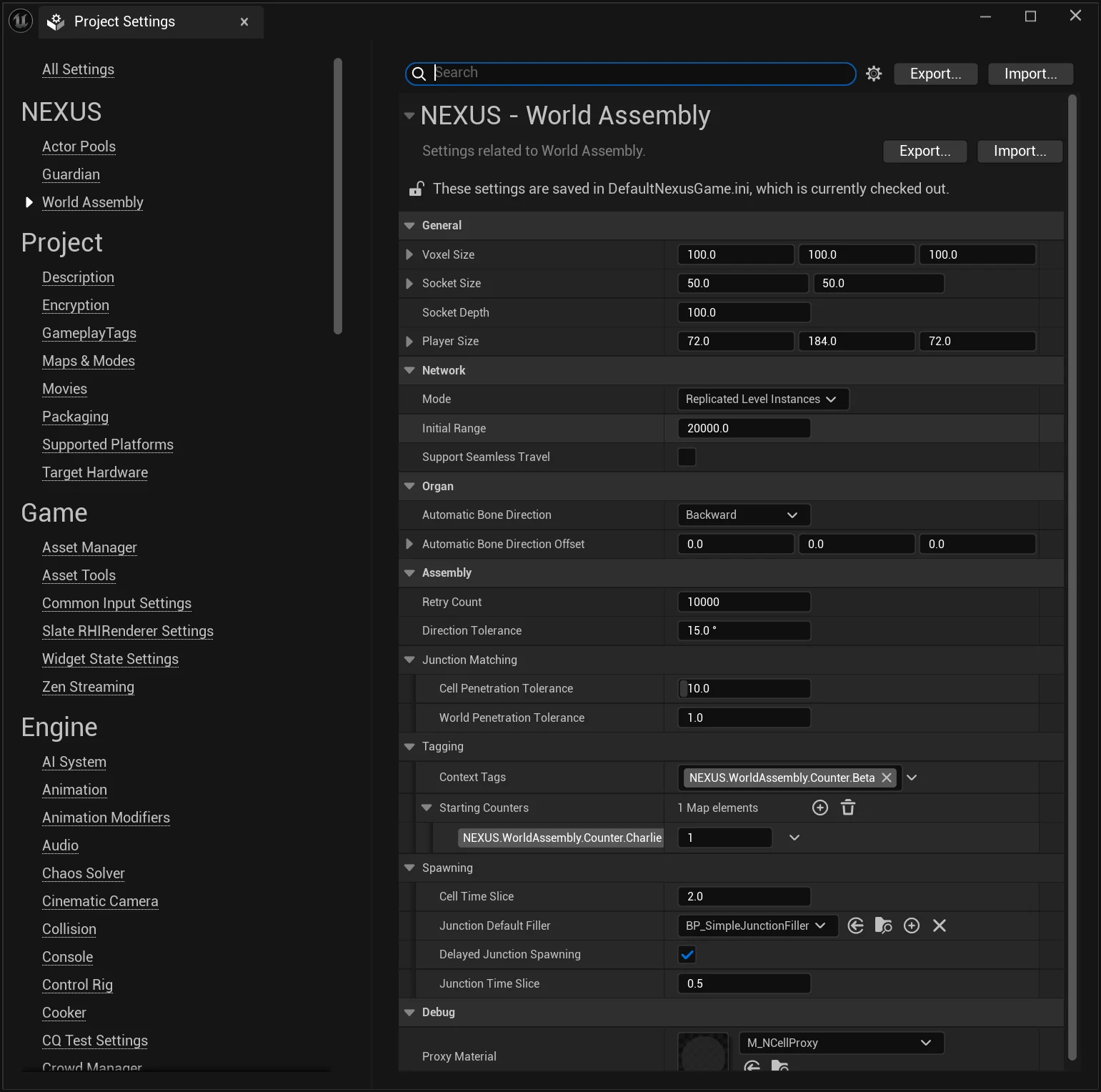
Configuration Options
General
| Setting | Description | Default |
|---|---|---|
Voxel Size | What is the size to use when generating voxel data around the space of a NCell. This sizing will also be used to calculate some additional meta data as a unit size. It doesn't need to be too tight; just remember the smaller the size, the greater the performance hit. | (100, 100, 100) |
Socket Size | What is the unit base size for things like the junctions and bones. | (50, 50) |
Socket Depth | The depth per side of a junction that is used for collision detection in some (PCG) scenarios. | 100.f |
Player Size | What is the size of the player's collider? | (72.f, 184.f, 72.f) |
Network
| Setting | Description | Default |
|---|---|---|
Mode | How should ANCellLevelInstances be replicated to clients, either based on relevancy (proximity) or treated as always relevant. | ReplicatedLevelInstances |
Initial Range | The range to query for nearby ANCellLevelInstances by ANWorldAssemblyRelay, used to determine if the client is considered loaded. Distance is calculated to the world position point of the ANCellLevelInstance. | 20000.f |
Organ
| Setting | Description | Default |
|---|---|---|
Automatic Bone Direction | The direction used to calculate the automatic bone placement on the volume. | Backward |
Automatic Bone Direction Offset | Offset value applied to the direction provided by the enumeration. | (0,0,0) |
Assembly
| Setting | Description | Default |
|---|---|---|
Retry Count | The maximum amount of full attempts at assembling a space before it is considered a complete failure. | 10000 |
World Collisions > Actor Ignore Tags | Additional FName tags to query for when ignoring actors from world collision detection. Supplements the NWorldCollision_Ignore markup tag. | (empty) |
World Collisions > Exclude Non-Collision Enabled Actors | Do not include actors that have their collision turned off when capturing world collision. | true |
World Collisions > Include Player Starts | Player start positions should be considered (avoided) when capturing world collision. | true |
Junction Matching > Cell Penetration Tolerance | The maximum depth of penetration a cell's hull can penetrate another to make a junction connection. | 10.f |
Junction Matching > World Penetration Tolerance | The maximum depth of penetration a cell's hull can penetrate world geometry to make a junction connection. | 2.f |
Tagging > Context Tags | Default Context Tags provided to every Assembly Operation. | (empty) |
Tagging > Starting Counters | Default Tag Counters provided to every Assembly Operation. | (empty) |
Direction Tolerance | How close the placement bearing must be to a cell's Direction Constraint heading (within this many degrees +/-) for the cell to remain a valid candidate. | 15.f |
Spawning > Cell Time Slice | Frame-time goal limit when to split spawning cells to the next frame task (in milliseconds). | 1.f |
Spawning > Junction Default Filler | The default filler to spawn when no authored filler is eligible — a soft (TSoftClassPtr) reference to an AActor that must implement INCellJunctionFiller. Resolved lazily so the class is only loaded when actually needed. | (empty) |
Spawning > Delayed Junction Spawning | Should time-slicing be used when spawning junction fillers. | true |
Spawning > Junction Time Slice | Frame-time goal limit when to split spawning junctions to the next frame task (in milliseconds). | 0.5f |
Debug
| Setting | Description | Default |
|---|---|---|
Proxy Material | The material to use with the DynamicMeshes as part of ANCellProxy. | M_NCellProxy |
:::warning Packaging
Assigning a Junction Default Filler or a Proxy Material here does not guarantee the asset is pulled into a packaged build. Because both are referenced indirectly, they can be dropped by the cooker — add them to your project's Additional Asset Directories to Cook (or otherwise force a hard reference) so they are included.
:::
See Also
- User Settings — per-user, machine-local editor preferences stored outside project config.