Cell Editor
The editor of all things Cell-related when it comes to a level.
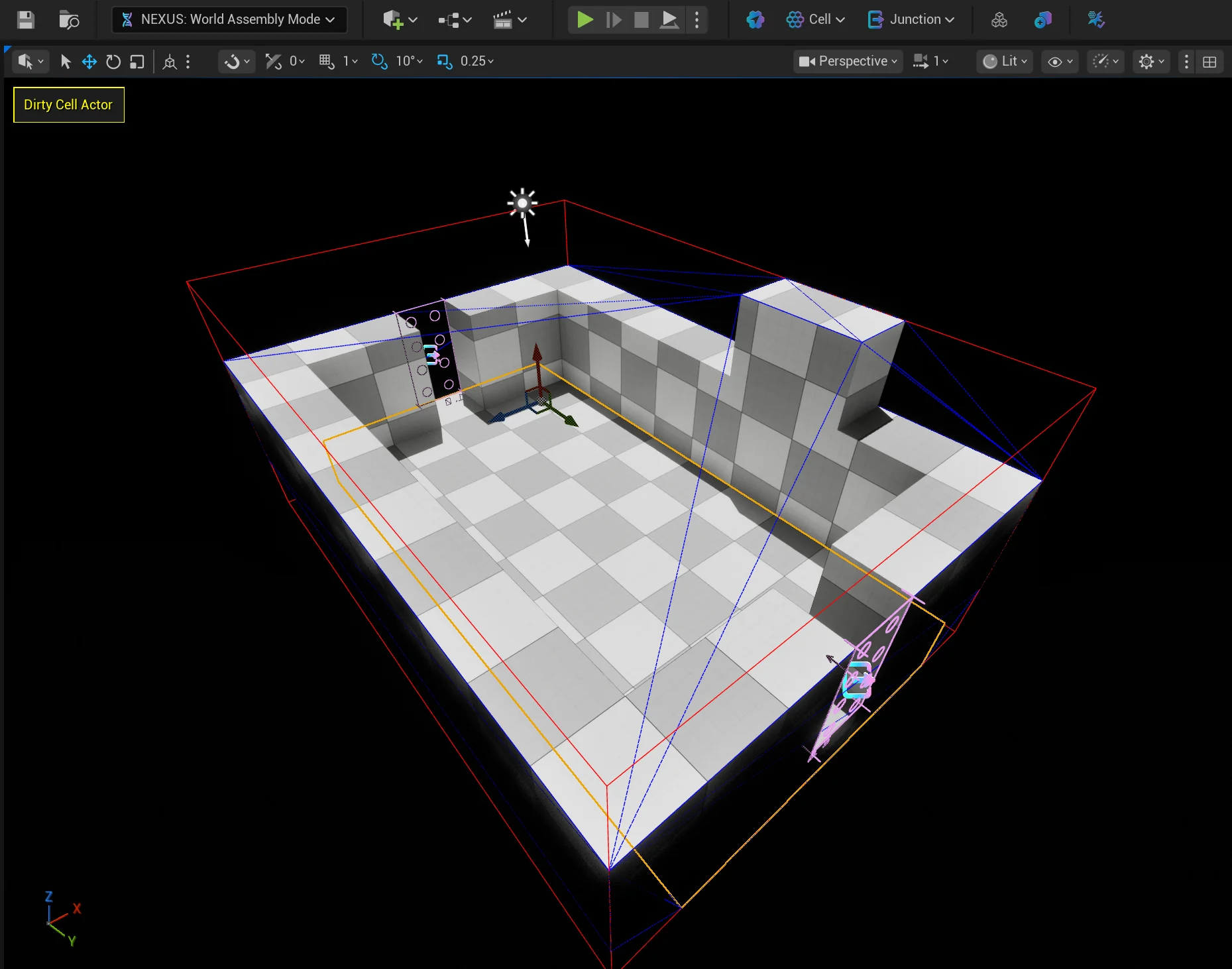
- The red wireframe cube is the cell bounds.
- The blue wireframe is the collision/convex mesh.
- The lego-like rectangles represent the junctions of the cell, where it can connect to other Cell(s) and Bone(s).
Toolbar
No ANCellActor Present
When no ANCellActor is present in a given level, despite being in World Assembly Mode, a simplified toolbar is present with a button to add a ANCellActor to the current level.

Once an ANCellActor is present in the level, the toolbar will expand out with supported features.

Cell Selection Button
| Button | Action | Description |
|---|---|---|
 | Select ANCellActor | Selects the levels ANCellActor, converting into an edit selection mode. |
 | Edit Bounds | Default behavior when an ANCellActor is selected, allowing the editing of the defined AABB. If altered, will flag data to not be automatically calculated. |
 | Edit Convex Hull* | Switches to editing the convex hull generated from the level. Options are available to break the convex requirement. |
 | Edit Voxel Data | Switches to editing the voxel data created from the level. |
Cell Menu
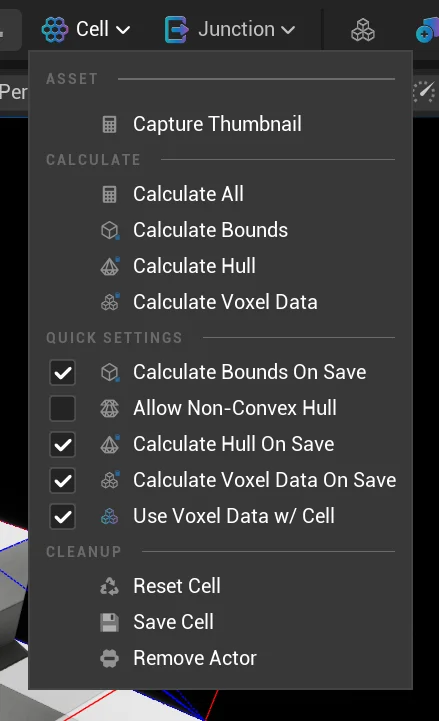
Using the Cell menu, you can operate on the levels ANCellActor which in turn, propagates its data to the UNCell associated to the level. It is this connection that allows for an Assembly Operation to have an understanding of a level, without having to have it loaded.
Asset
| Command | Description |
|---|---|
| Capture Thumbnail | Captures the current viewport (minus gizmos) as the thumbnail for the current level, also applies a version to the associated UNCell without gizmos. |
Calculate
| Command | Description |
|---|---|
| Calculate All | Calculates all calculatable data for the ANCellActor's UNCellRootComponent. |
| Calculate Bounds | Calculate the bounds for the ANCellActor's UNCellRootComponent which gets propagated to the associated UNCell; overwriting any previous edits. |
| Calculate Hull | Calculate a convex hull for the ANCellActor's UNCellRootComponent which gets propagated to the associated UNCell; overwriting any previous edits. |
| Calculate Voxel Data | Calculate the voxel data for the ANCellActor's UNCellRootComponent which gets propagated to the associated UNCell; overwriting any previous edits. |
Quick Settings
| Command | Description |
|---|---|
| Calculate Bounds On Save | Toggles FNCellBoundsGenerationSettings::bCalculateOnSave on the ANCellActor's UNCellRootComponent::Details. |
| Allow Non-Convex Hull | While editing the convex hull, this option prevents moving edges and vertices into non-convex positions. By enabling this option, non-convex meshes are allowed to be created. This adds a performance cost when evaluating penetration against this mesh as it becomes a complex calculation. By default this remains false, use sparingly. |
| Calculate Hull On Save | Toggles FNCellHullGenerationSettings::bCalculateOnSave on the ANCellActor's UNCellRootComponent::Details. |
| Calculate Voxel Data On Save | Toggles FNCellVoxelGenerationSettings::bCalculateOnSave on the ANCellActor's UNCellRootComponent::Details. |
| Use Voxel Data w/ Cell | Enables using voxel data with a Cell, false by default. |
Cleanup
| Command | Description |
|---|---|
| Reset Cell | Resets the ANCellActor in the level, recreating all data back to a default state. |
| Save Cell | Writes out any changed data to the associated UNCell. |
| Remove Actor | Removes the ANCellActor from the level, and delete the associated sidecar asset (UNCell). |
Junction Menu
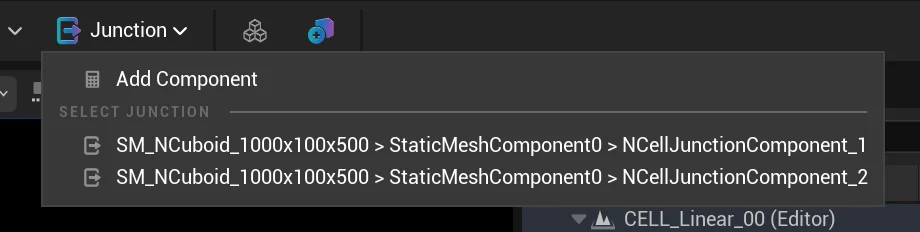
Given the importance of deploying junctions in a Cell, the junction menu quickly allows you to add a UNCellJunctionComponent to the currently selected AActor. As well as a quick selection of any of the already created Junction.
Editing Data
Editing Junctions
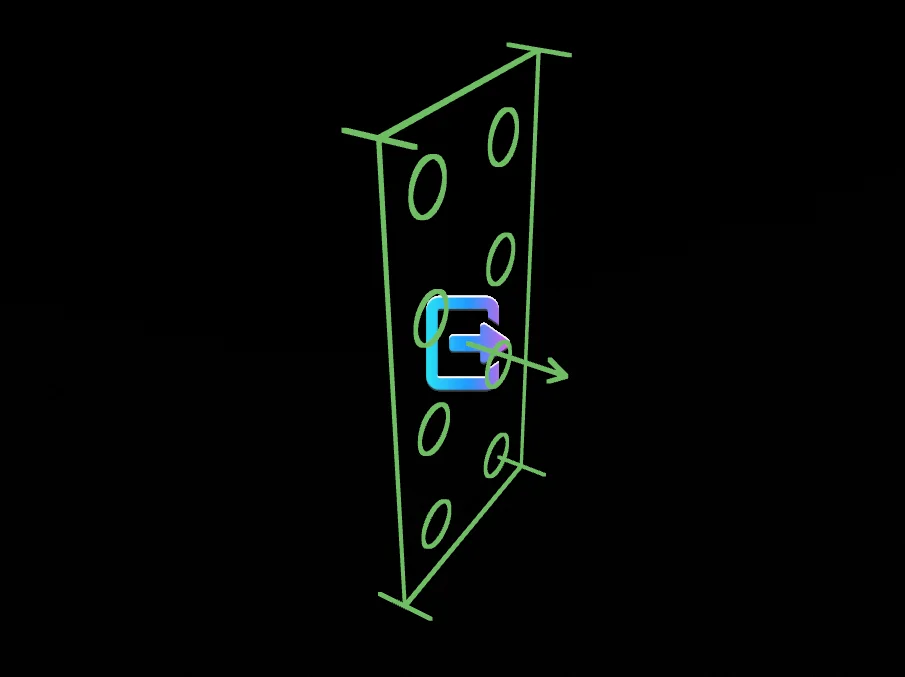
As junctions represent the connection point between other Cells they are positioned freely and without rotational constraints. They are NOT on a grid by default, however some may choose to place them according to a grid to ensure easier auto-matching of overlapping junctions.
Their matching size is represented by the lego-like nubs visually represented inside of the rectangle. The rendered arrow should always face inward to the cell as Junctions do have directionality.
More details are available on the UNCellJunctionComponent.
Editing Bounds
By clicking either of the bounds points, a translation widget will appear allowing you to grow or shrink the bounds accordingly.
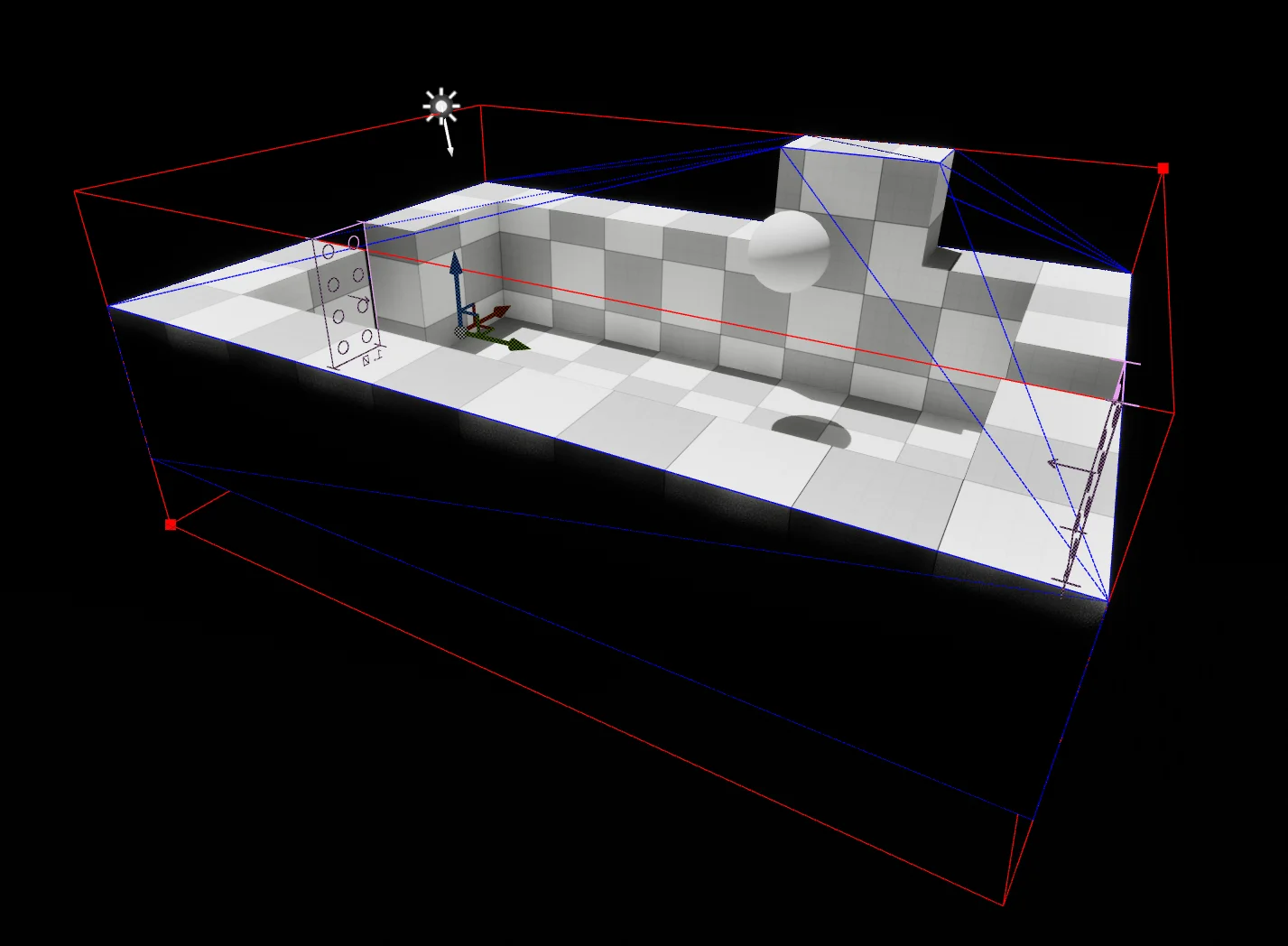
When you edit the bounds manaully it will flag the bounds not to be automatically calculated in the future during the saving process. You can revert this through the Cell Menu or by manually finding the setting on the ANCellActor > UNCellRootComponent > Details.
Editing Convex Hull
By clicking the vertices, a translation widget will appear allowing you to move them around. In its default state, it will not allow you to break the convexity of the hull (this can be toggled off via the Cell Menu).
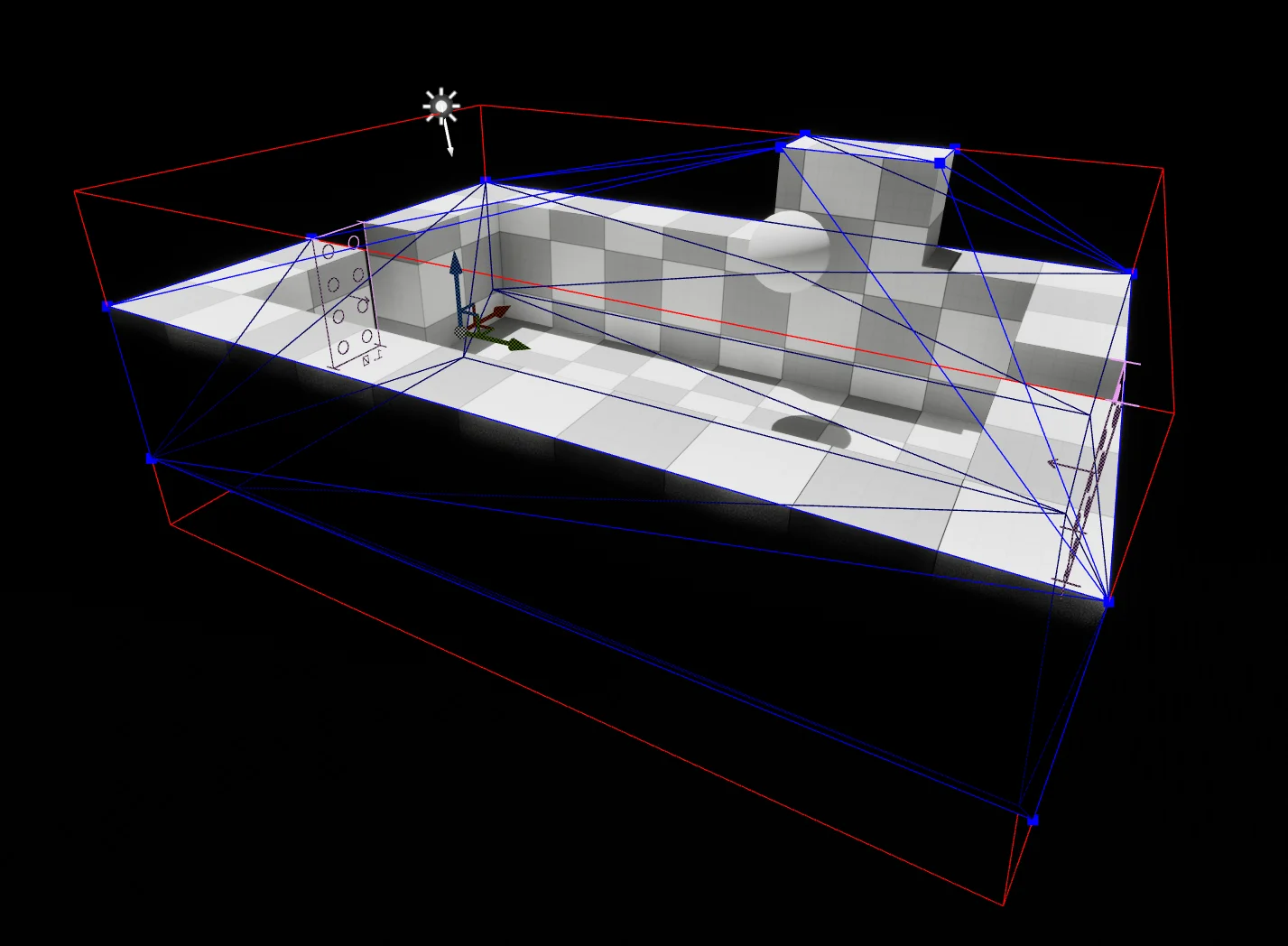
You can also select edges of the mesh, this is to allow you to split the edge to create new mid-point vertices. When you have an edge selected, the split button will appear in the toolbar.
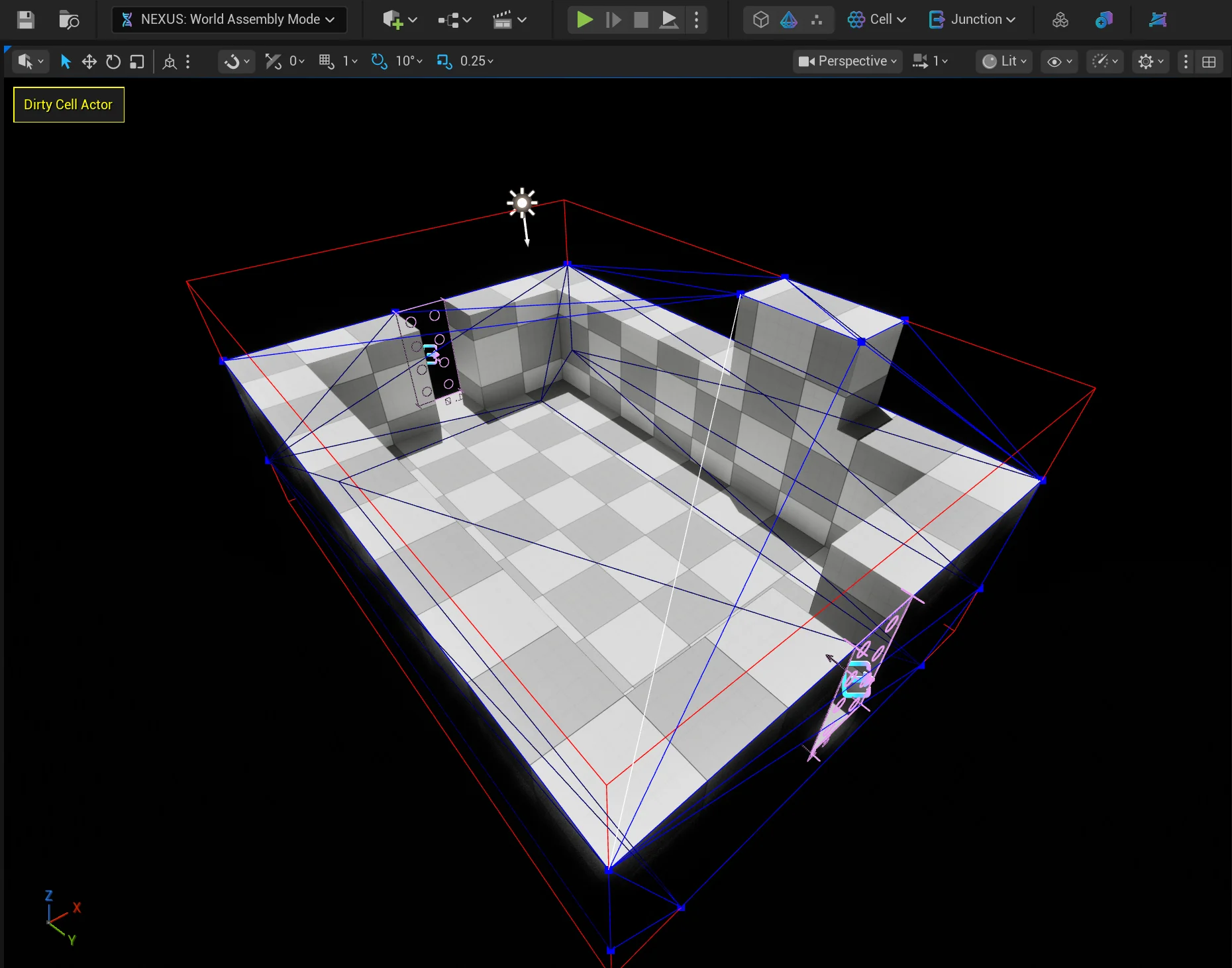
When you edit the convex hull manaully it will flag the hull not to be automatically calculated in the future during the saving process. You can revert this through the Cell Menu or by manually finding the setting on the ANCellActor > UNCellRootComponent > Details.
Editing Voxel Data
While voxel data is made available to edit, it is currently not used in the World Assembly process.
Clicking individual boxes will cycle through their occupancy status.
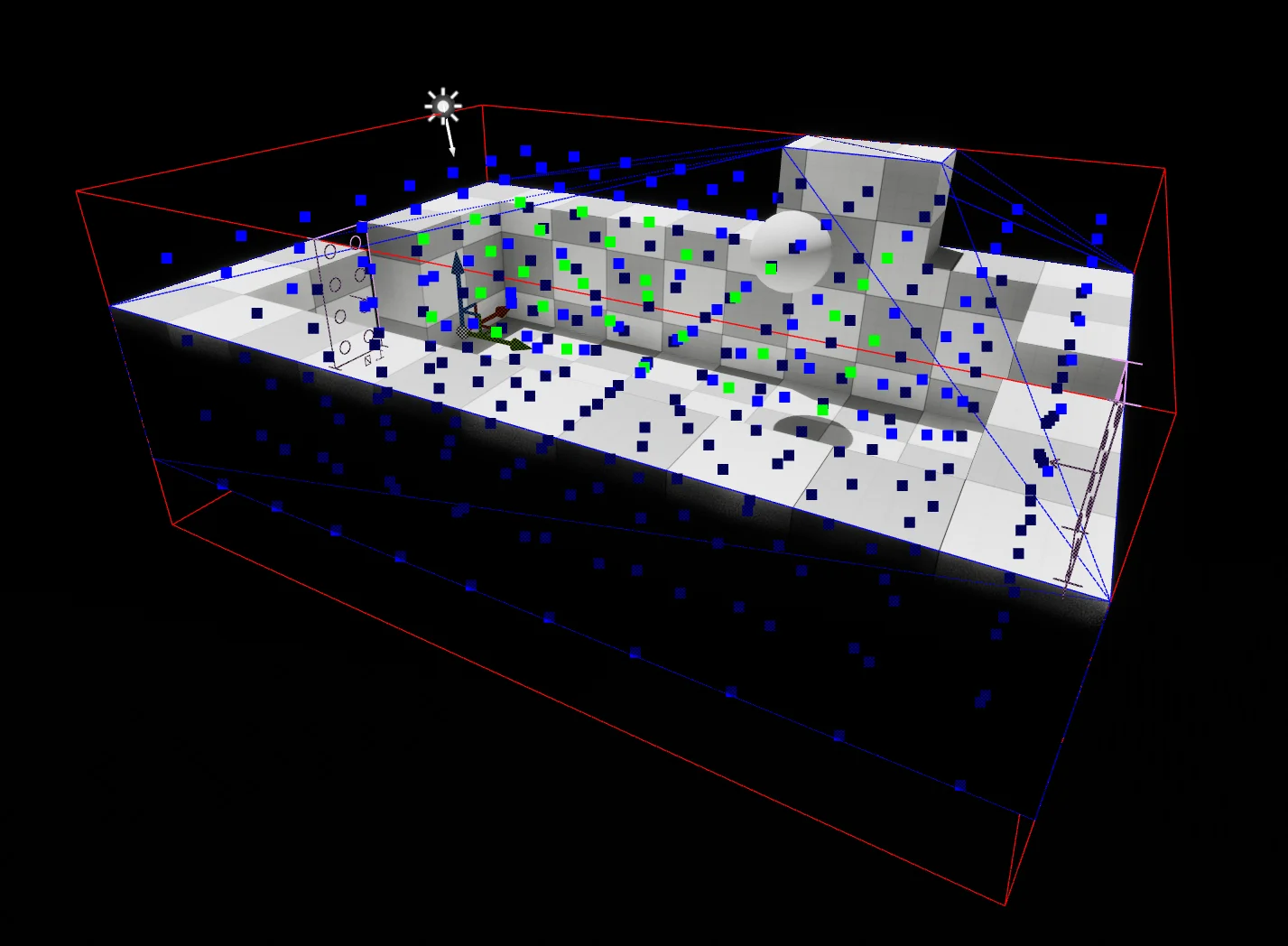
When you edit the voxel data manaully it will flag the voxel data not to be automatically calculated in the future during the saving process. You can revert this through the Cell Menu or by manually finding the setting on the ANCellActor > UNCellRootComponent > Details.