Blueprint Validator
An opinionated set of validation for UBlueprints.
IsEmptyTick
The hidden performance killer, the empty tick. This function of the UNBlueprintValidator evaluates a UBlueprint for any Tick events that are not disabled, and have no actual logic following them.

Severity
By default, the severity of this validation is set to Error due to its direct performance impact and relative ease of resolution. Should you wish to change the level (or disable) of this validation, it can be found in the
project-wide in Editor Preferences > NEXUS > Tooling > Blueprint: Empty Tick
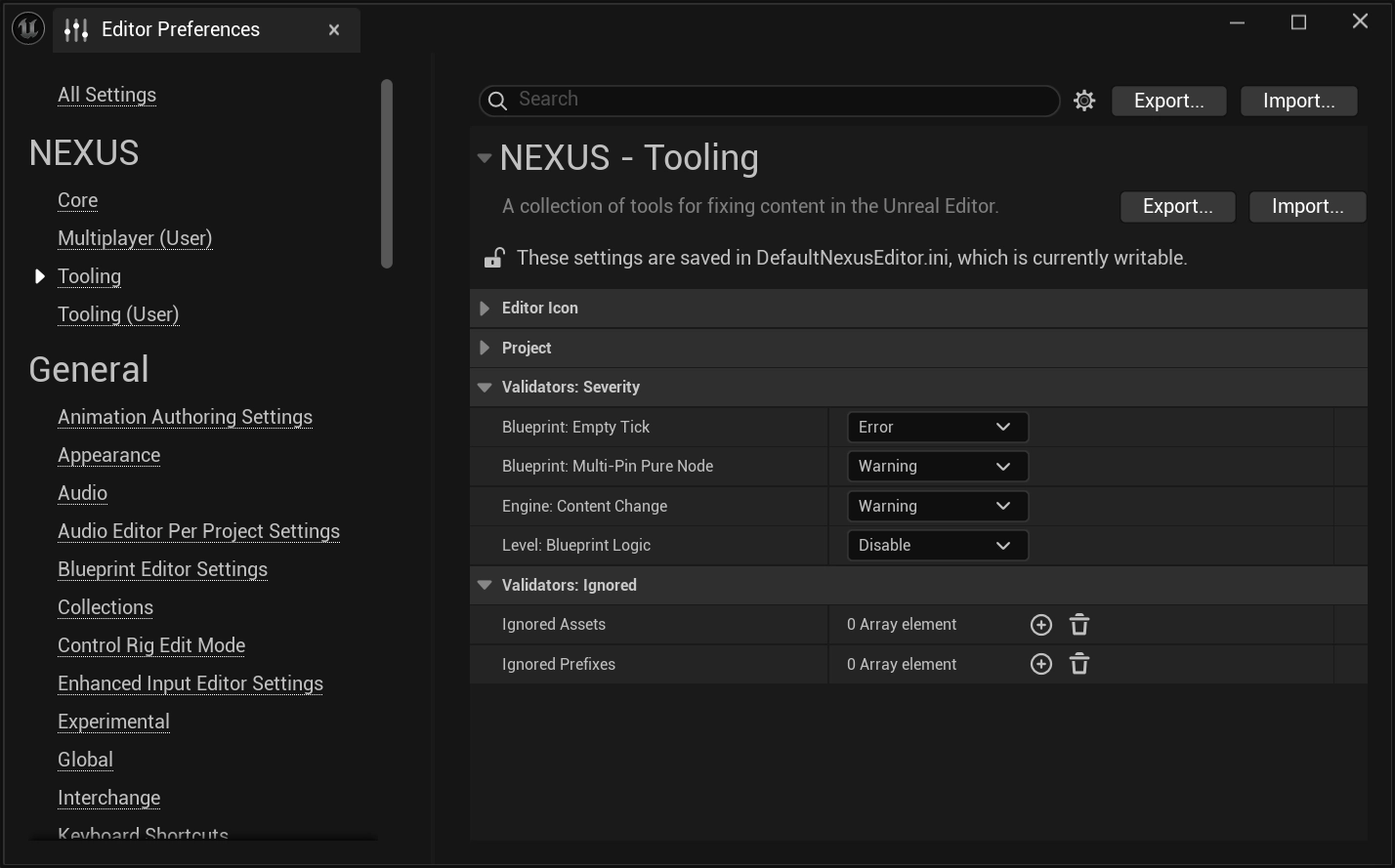
IsMultiPinPureNode
One of the older traps of development is accessing properties, and the hidden cost of accessing the output value. Often, developers will not evaluate the underlying backing of the property and reason whether that property should be cached locally in that frame instead of accessing it repeatedly.
This problem gets exacerbated by the multi-pin pure node accessing that can happen with a UBlueprint. Each access of a pin can reevaluate the logic to produce its output.
This function of the UNBlueprintValidator looks for occurrences where this occurs.
The quick solution is to convert any blueprint pure nodes where this occurs into an execution-based node which can be reliably cached. At the bottom of the context-menu for pure nodes there is an option Show Exec pins. This will then allow you to place the node in your blueprint graph and ensure it’s sequential place.
@reapazor wrote a blog post explaining why this is an important validator to pay attention too, and how to easily solve the raised concerns.
Example Trigger
A general rule of thumb is that pure nodes are green. That means things like the Break utility nodes also exhibit this problem and can be resolved the same way.
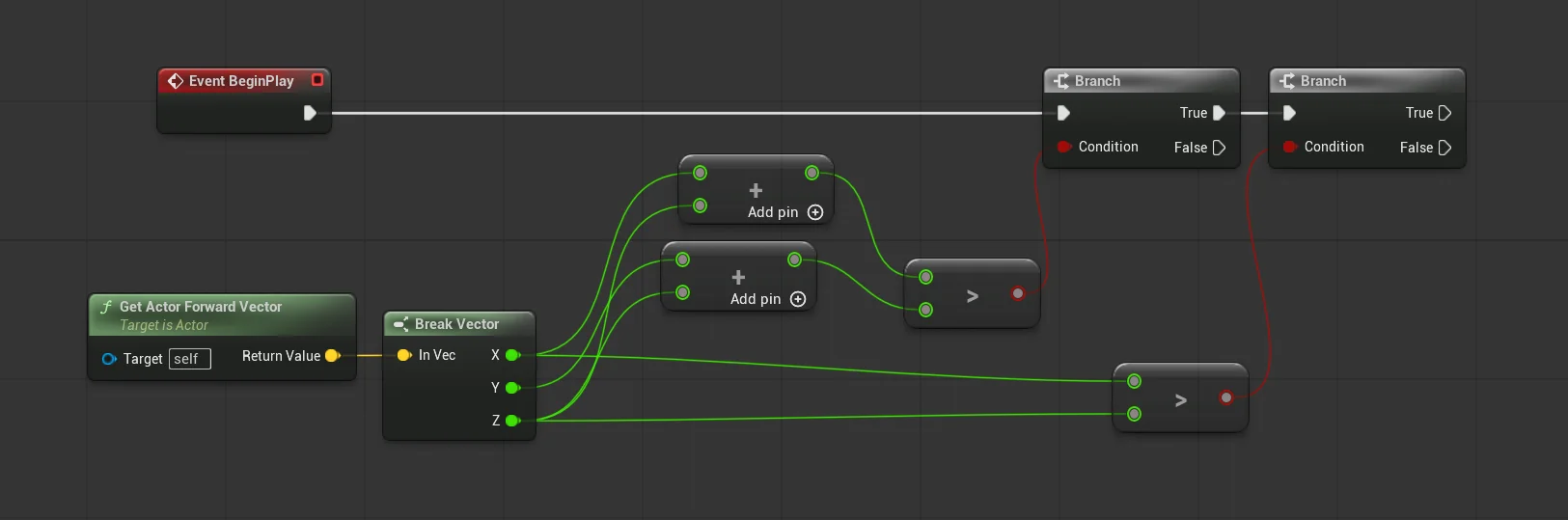
In the above example, each of the branch evaluations will recalculate the full Condition chain. Meaning all the way back to the Get Actor Forward Vector will be reevaluated, almost doubling the computational costs (there are slight difference due the additional nodes in one of the branch conditions).
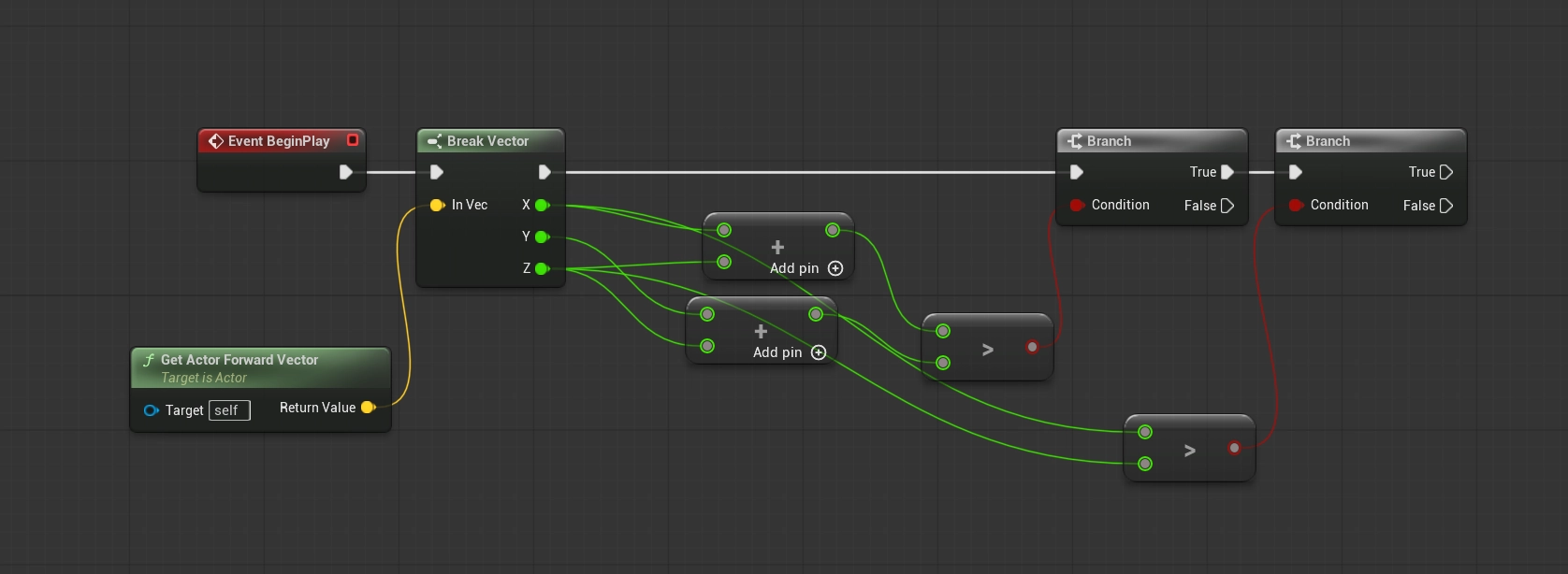
In this corrected example, the outputs of the Break node are cached and can be accessed downstream without recomputation.
Severity
By default, the severity of this validation is set to Warning, as it will not break your project, and resolving it requires some cognitive load.
Anecdotally, we have heard of developers getting actual FPS boosts from refactoring their UBlueprints with this knowledge in hand.