Developer Overlay

- Base:
- UNDeveloperOverlay
- Type:
- UNActorPoolsDeveloperOverlay
- Header File:
- NexusActorPools/Public/NActorPoolsDeveloperOverlay.h
By going to Tools > NEXUS > Actor Pools, you can create an UNEditorUtilityWidget wrapped version of /NexusActorPools/WB_NActorPoolsDeveloperOverlay which will show the real-time stats of all FNActorPools.
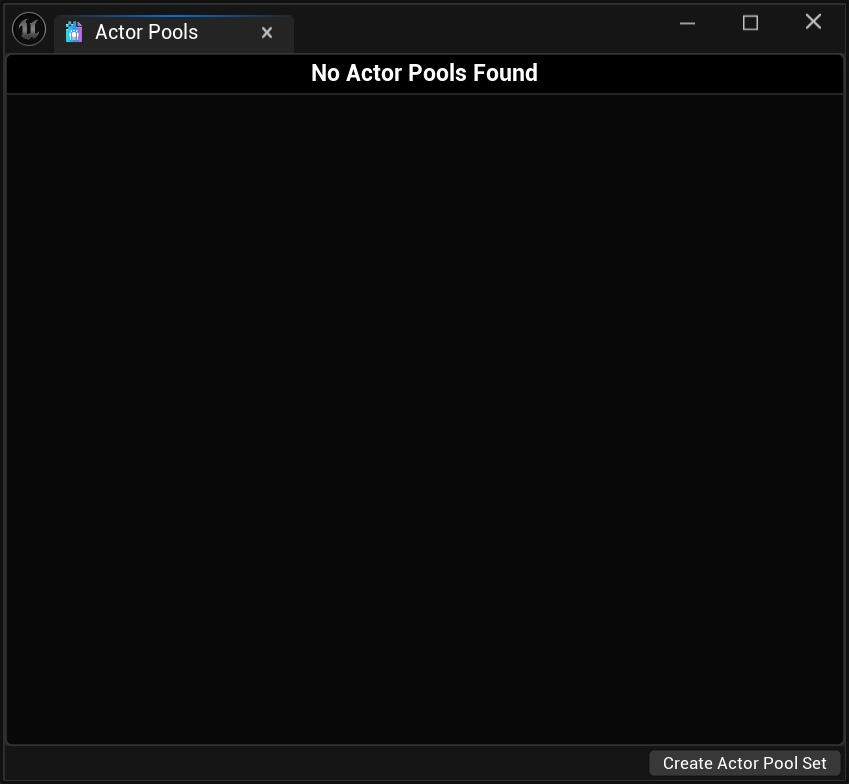
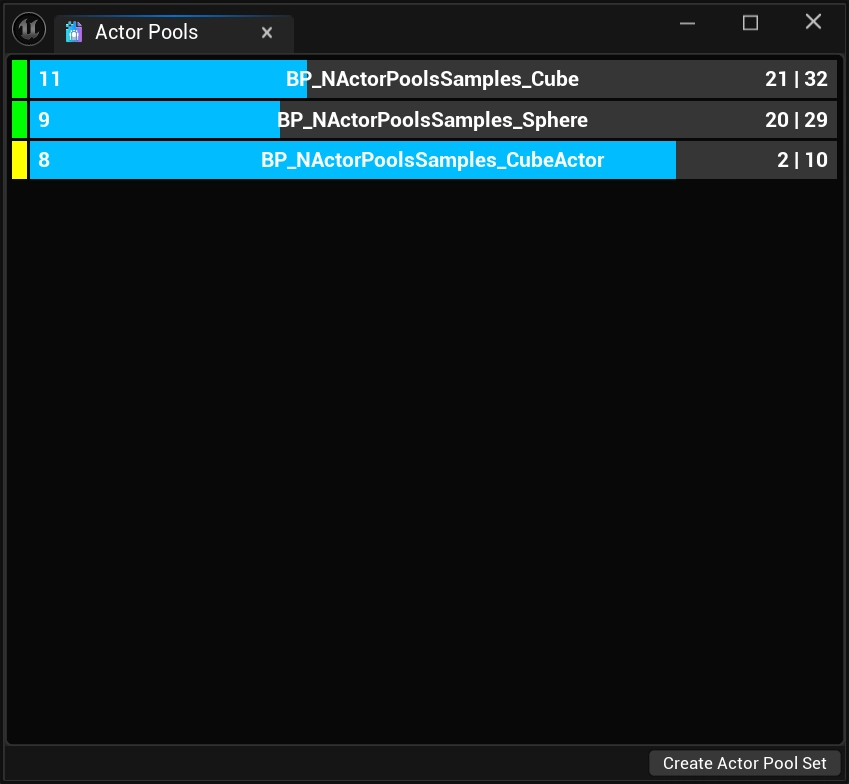
This overlay (WB_NActorPoolsDeveloperOverlay) can be included in packaged builds and will function just like an UUserWidget-based widget.
Understanding The Bars
Text
The number at the left-most part of the progress bar represents the total number of AActors that are currently considered available (in) to Spawn from the FNActorPool. For the pools above, this would be 11 for the BP_NActorPoolsSamples_Cube pool, and 9 for the BP_NActorPoolsSamples_Sphere pool.
In the middle of the progress bar is the AActor/FNActorPool name.
The final set of numbers represents the total number of AActors that are currently spawned (out) from the FNActorPool, and the total number of AActors that the FNActorPool has under it's ownership. In the case of the pools above, this would be 21 spawned and 32 owned AActors for the BP_NActorPoolsSamples_Cube pool, and 20 spawned and 29 owned AActors for the BP_NActorPoolsSamples_Sphere pool.
Callback Color Coding
At the start of the bar entry for an FNActorPool is a color swatch. This is an important indicator of the performance cost incurred during the different events that occur with the pool.
| Color | Description |
|---|---|
Blue | No callbacks are made by the FNActorPool. |
Green | The FNActorPool's template AActor class implements the INActorPoolitem interface, providing the fastest possible callbacks for the FNActorPool. |
Yellow | The FNActorPool has been directed (via settings flags) to invoke any UFUNCTION methods (OnCreatedByActorPool, OnSpawnedFromActorPool, OnReturnToActorPool, and OnDestroyedByActorPool) found on the AActor. |
Tooltips
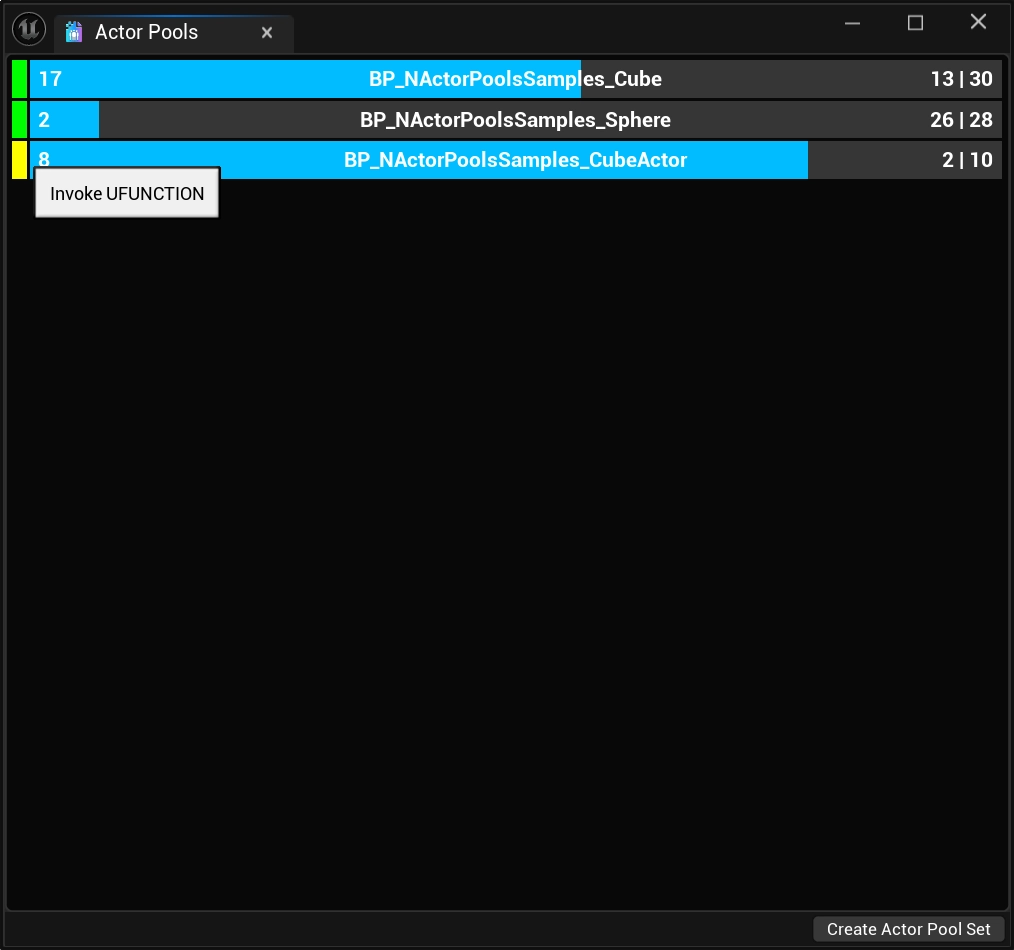
Swatch Tooltip
A simple reminder of what the color specifically means when it comes to the performance cost of events triggered by the FNActorPool.
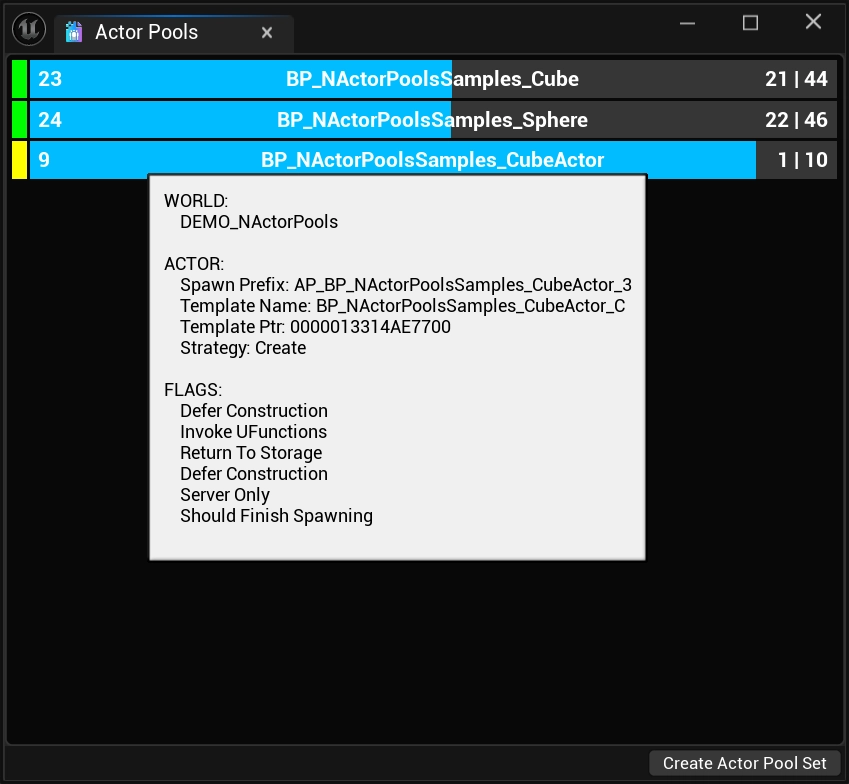
Progress Bar Tooltip
A more complex tooltip indicating what UWorld a FNActorPool resides in as well as details related to its function.
| Item | Description |
|---|---|
| Spawn Prefix | The prefix of AActors spawned from this FNActorPool. This is useful to visually verify ownership of AActors to a specific FNActorPool. This is not available available in release builds. |
| Template Name | The name of the template (thing that will be spawned) associated with the FNActorPool. This effectively should always be the center-text of the progress bar, without the _C suffix. |
| Template Ptr | The raw pointer to the template, this is useful for debugging issues where duplicate pools have been made for AActors; this can originate from custom-loading solutions. |
| Strategy | The AActor creation strategy that the FNActorPool is using. |
The last section of the tooltip lists all of the flags that are set via the pools settings.
Editor-Only Features
At the bottom of the EditorUtilityWidget is a button bar that houses the Create Actor Pool Set button.
Clicking this button will write out a UNActorPoolSet based on the currently known FNActorPool.
The asset still needs to be saved to disk as it was written out during Play-In-Editor.